Leads start in the field
Open houses, showings, site walks, builders' expos. The capture app records the contact and the context on the spot, with or without signal.
Real estate & construction
Leadnics captures buyers at the open house and prospects on the job site, then keeps every showing, bid, and follow-up on one pipeline your whole team can see. It runs on iOS and Android, keeps working without signal, and syncs to the desktop at the office.
Product tour
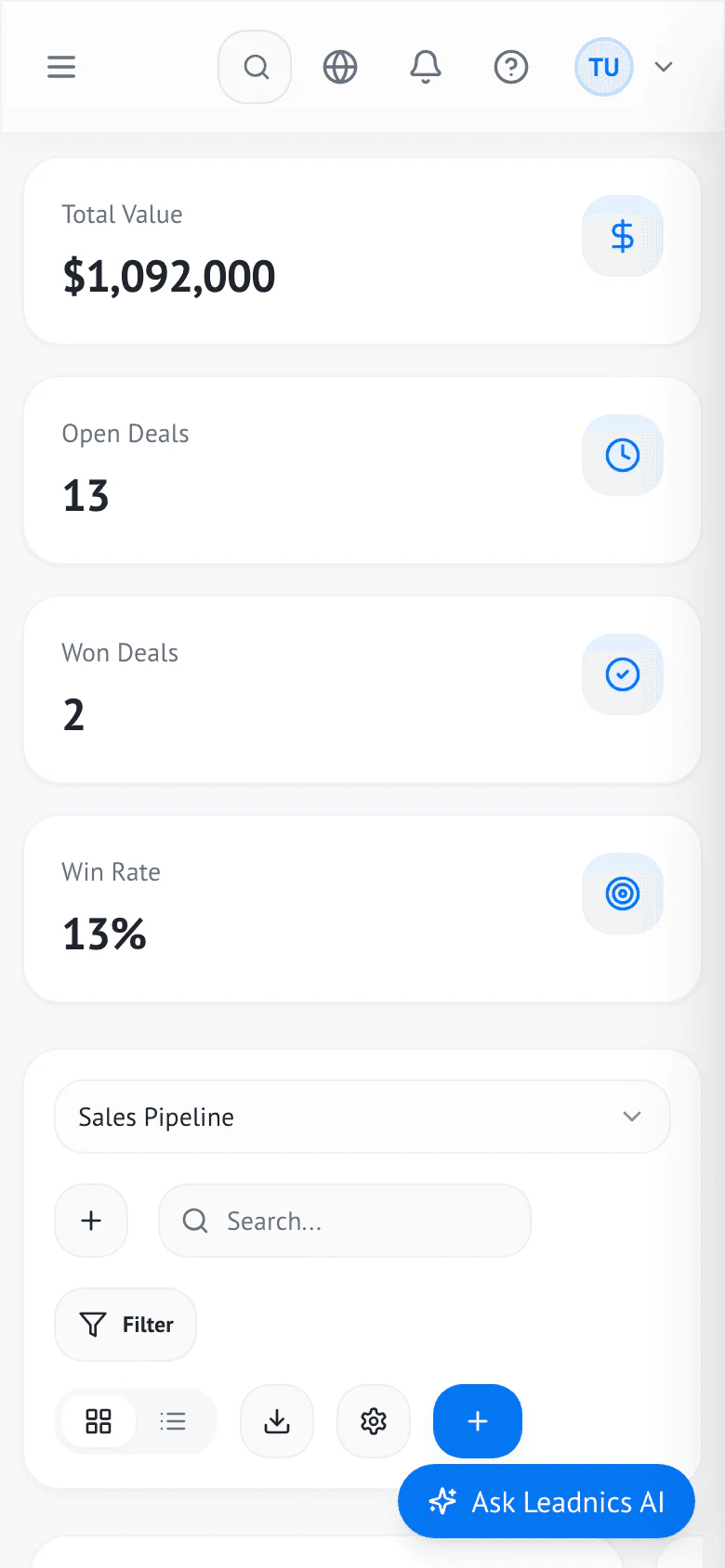
The same Leadnics workspace runs on the phone in the field and the desktop at the office. Here is each part, set up the way real estate and construction teams use it.
The Leadnics app for iOS and Android goes to the open house, the showing, and the site walk. Leads are saved on the phone and synced to the CRM.
Included with every Leadnics seat. Native apps for iOS 15+ and Android 11+.

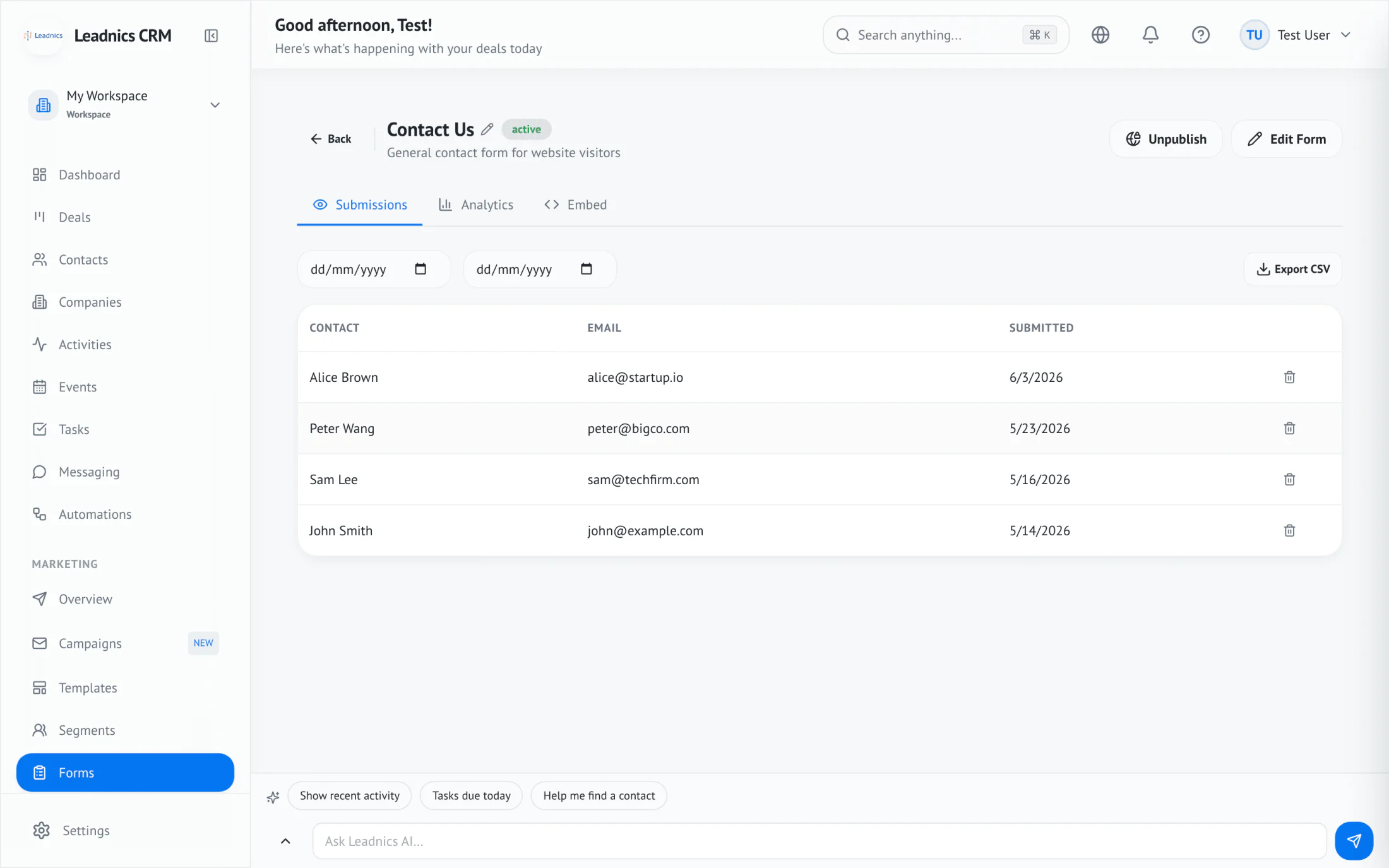
Build an open house sign-in or a site-visit request form once, then run it on a tablet, embed it on your website, or share it as a link.
Submissions tab of a live form, with dates and contact details for each visitor.
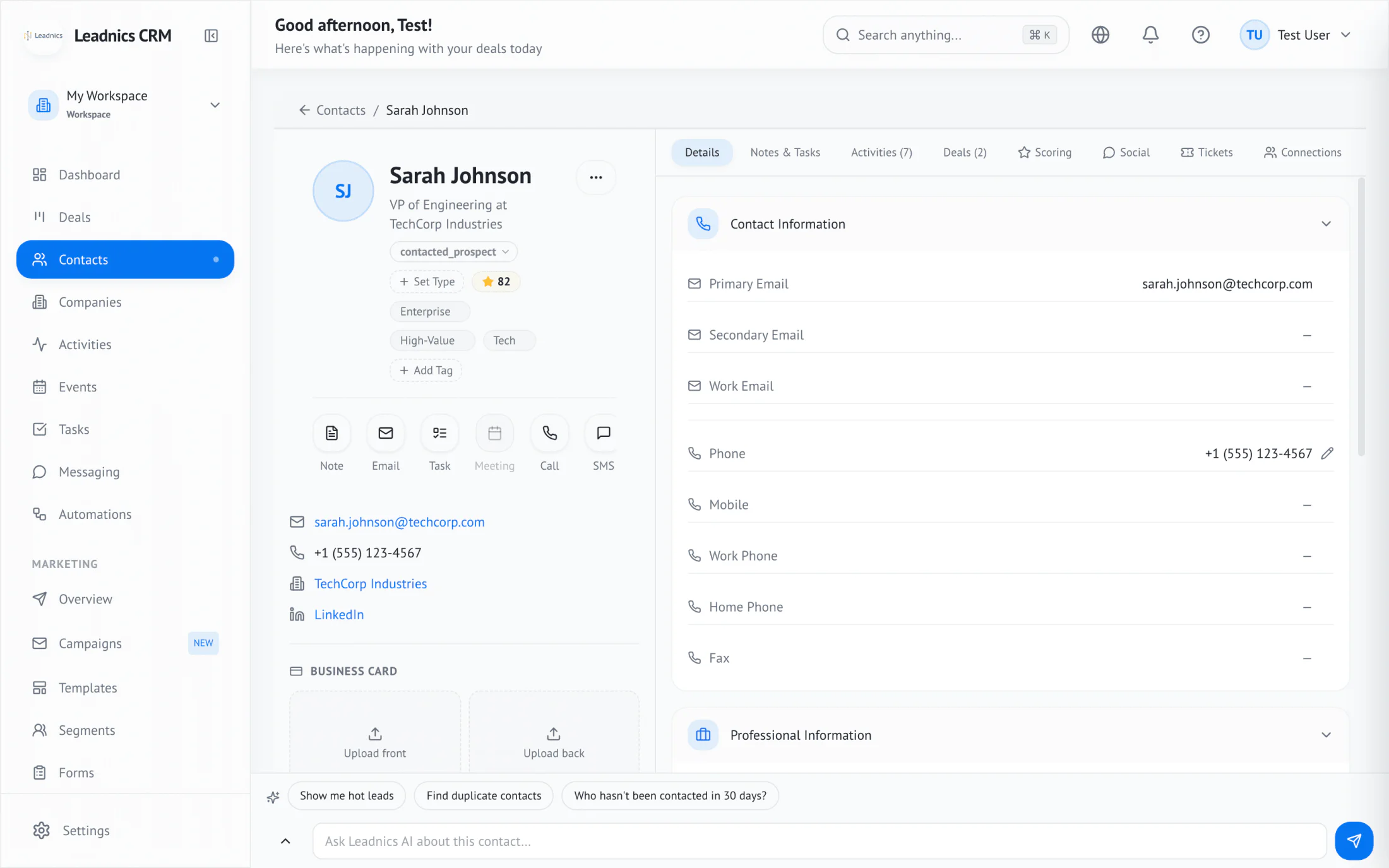
Each buyer, seller, developer, and project manager has one record with their details, tags, score, deals, and every note and message.
Contact record with score, tags, quick actions, and the scanned business card.
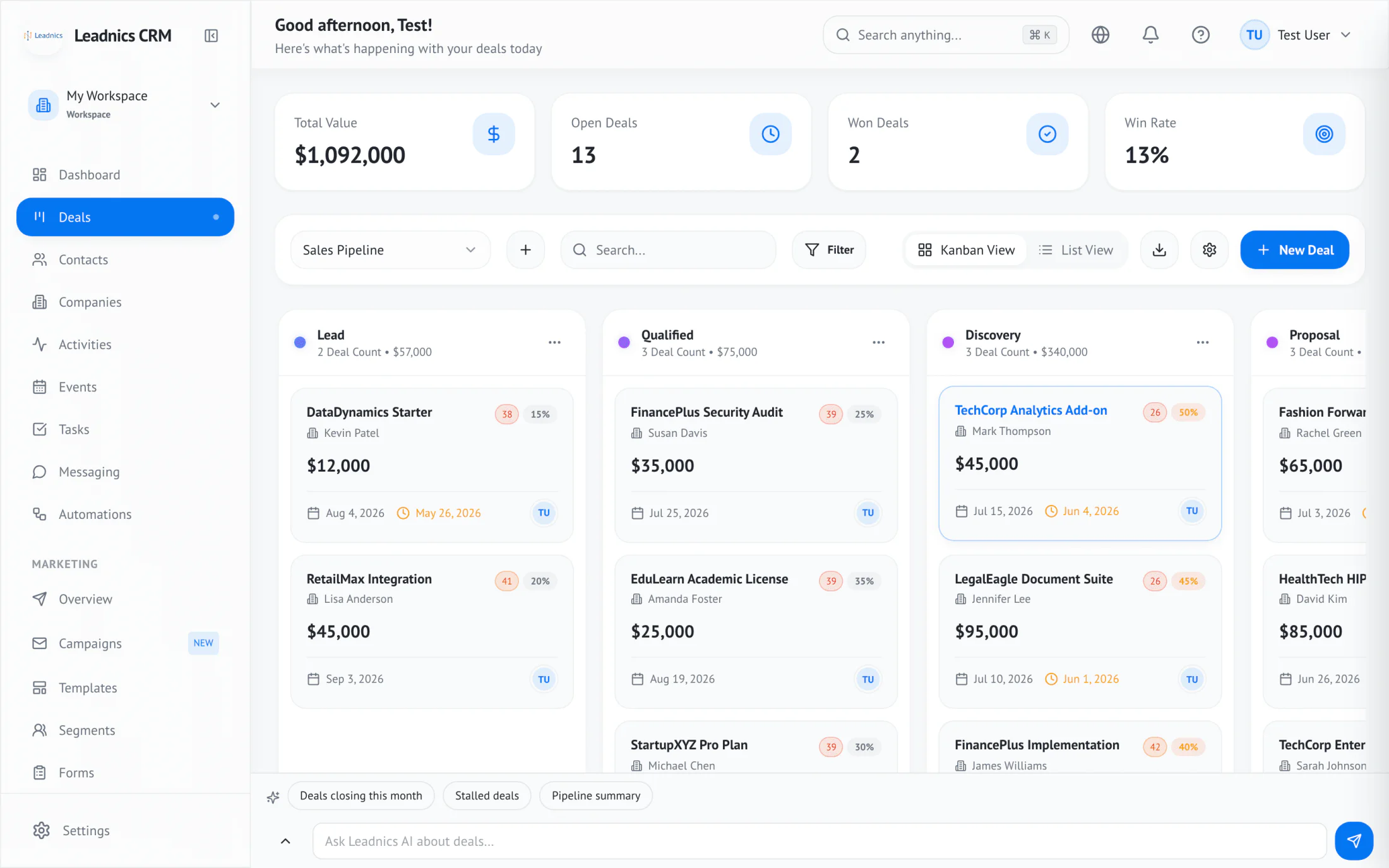
Run a buyer pipeline, a seller pipeline, and a bid pipeline side by side. Drag deals between stages and see the value of each column as you go.
Kanban pipeline with value, open deals, won deals, and win rate across the top.
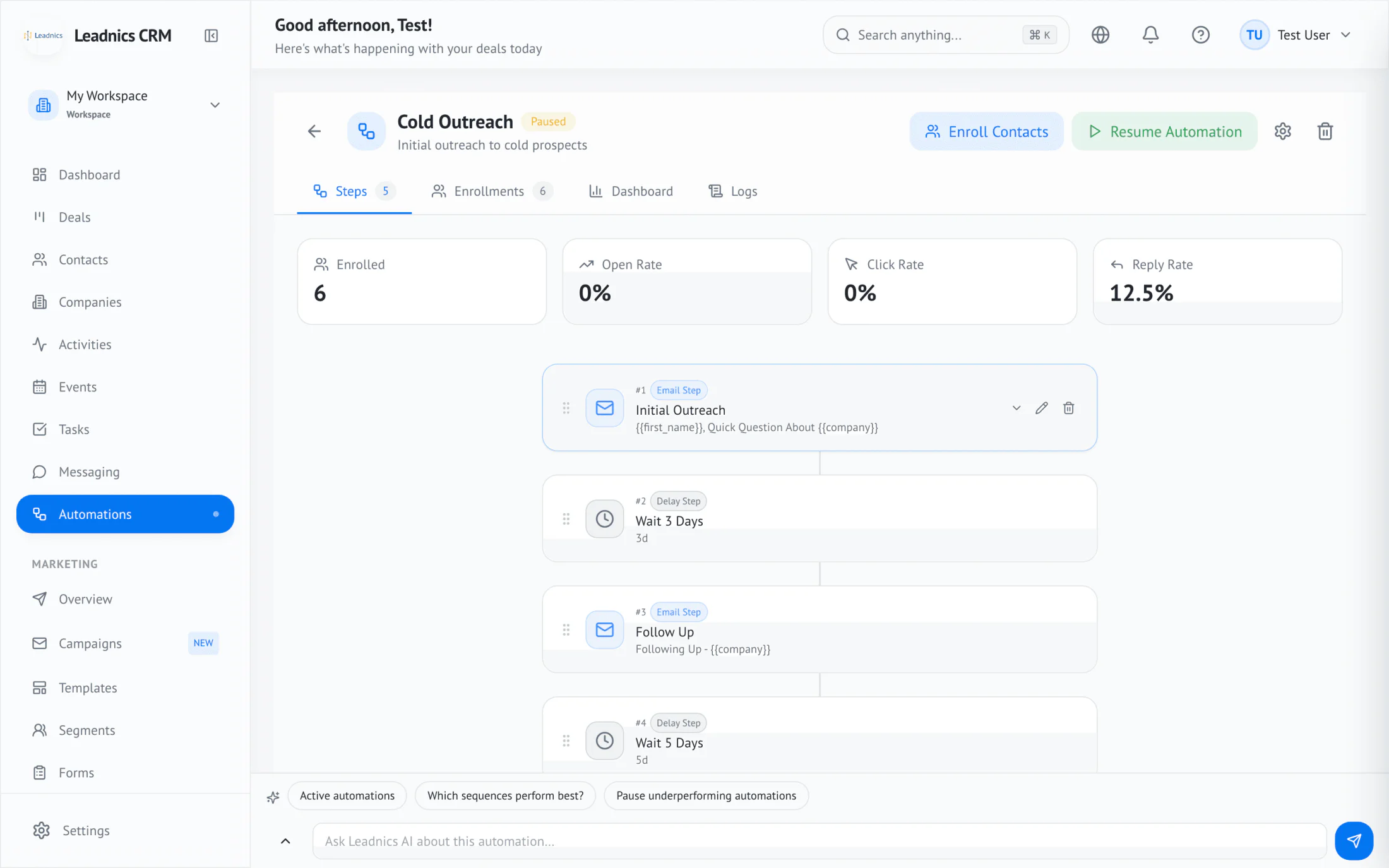
Buyers who are months away and bids waiting for award both need steady follow-up. Sequences send it on schedule and stop when a real conversation starts.
A sequence with email and wait steps, plus enrollment and reply stats.
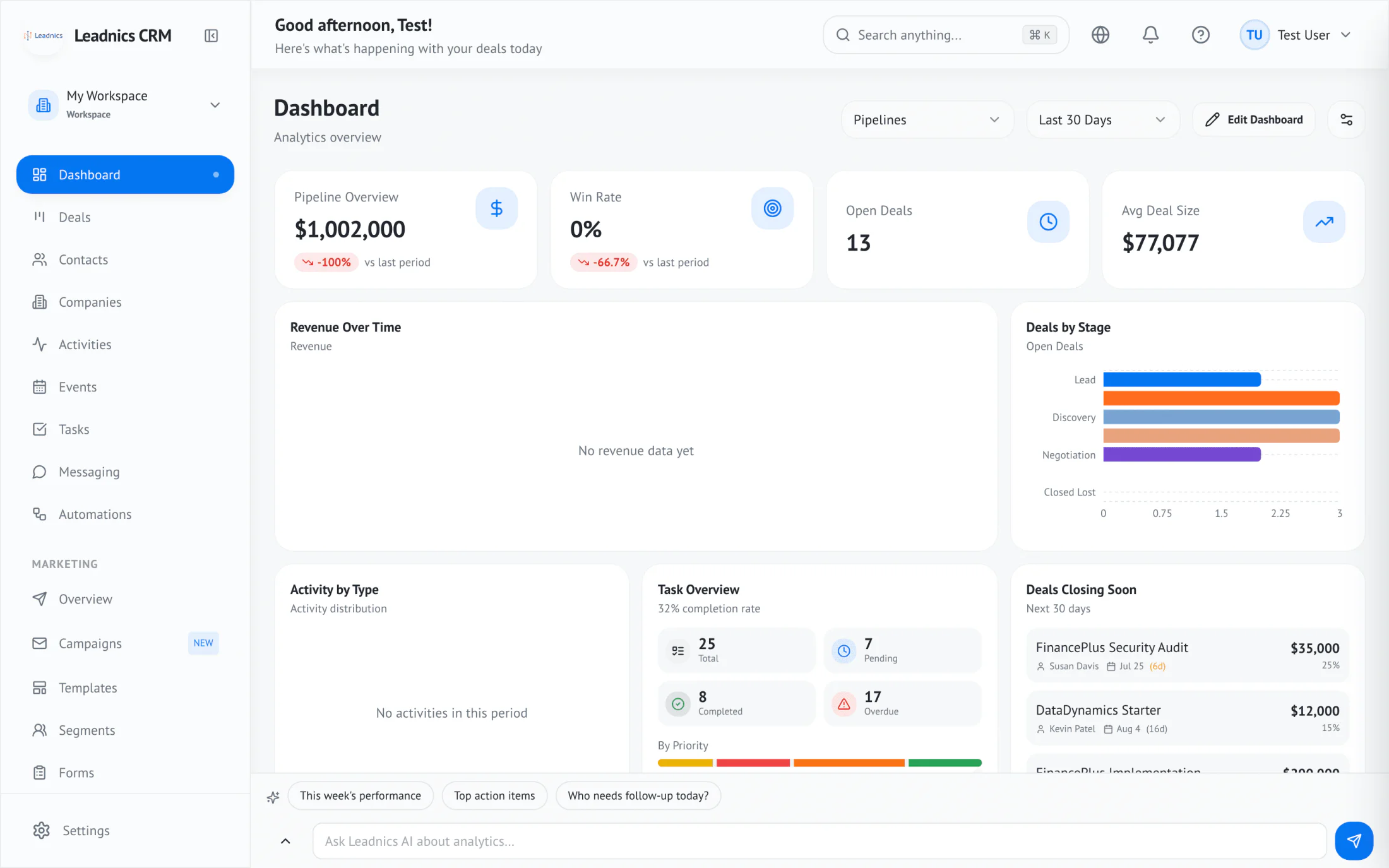
Brokers and construction owners see pipeline value, win rate, average deal size, and what is closing soon without asking anyone for a report.
Dashboard with pipeline value, win rate, open deals, and average deal size.
Why these two
Real estate agents and construction estimators both sell large, slow deals, mostly in person and mostly away from a desk. The lead arrives during a walk-through or a site visit. The decision takes months. The next deal usually comes from someone you already worked with. Most CRMs are designed for inside sales teams who spend the day in email. Leadnics is designed for the person standing in a driveway with a phone in one hand.
Open houses, showings, site walks, builders' expos. The capture app records the contact and the context on the spot, with or without signal.
A buyer may be a year from moving. A bid may wait a quarter for award. Sequences and stage rules keep the follow-up going without a sticky note.
Past clients refer friends. General contractors invite you to bid again. Leadnics keeps the history on the account so that relationship survives staff changes.
For real estate
Leadnics fits residential brokerages, independent agents, new-development sales teams, and commercial leasing offices. Every visitor, showing, offer, and message sits on the contact record, so any agent on the team can pick up the conversation where it left off.
New lead
Open house · 42 Oak St
No agent · Hot
Buyer pipeline
Seller pipeline
Replace the paper sheet with a tablet form at the front door. Visitors enter their name, phone, and whether they already have an agent. Each entry becomes a contact tagged with the property address and date, and SMS consent is recorded on the form.
After a showing, hold to record what the buyer liked and what put them off. The transcript attaches to the contact and the deal, so the next showing starts from what you learned last time.
Store bedrooms, budget band, neighborhoods, and must-haves in custom fields. Live segments update as buyers change their minds, so when a matching listing comes up you already have the call list.
Website and portal inquiries route to the agent who covers that ZIP code, or round-robin across the team. SLA timers flag any new inquiry that nobody has answered.
Many buyers are months away from a move. A sequence sends market updates and check-ins on a schedule you set and pauses the moment they reply, with a task assigned to their agent.
Buyers text, sellers email, and international clients use WhatsApp. All three land on one timeline per contact, and replies go out from the agent's own mailbox or number.
Closed buyers and sellers move into a past-client segment with scheduled check-ins. The referral source is recorded on every new contact, so you can see which clients send business your way.
Active listings, pending deals, and closed volume per agent. Source attribution compares open houses, portals, and referrals by revenue, and a Monday digest goes to the broker by email or Slack.
The sequence pauses automatically when the contact replies.
9:40
Opens the day's list in the app: two showings, one open house, and four buyers whose criteria match a listing that went live on Friday.
11:00
Open house at 42 Oak Street. Fourteen visitors sign in on the tablet. Three say they don't have an agent and get tagged as hot.
13:15
Showing with a relocating couple. In the car afterwards she records a 40-second voice note: they loved the yard, the kitchen needs work, the budget can stretch 5%.
13:20
The note becomes a transcript on the deal, the budget field updates, and a task to send two comparable homes lands on Monday.
17:30
All fourteen open-house visitors are already in the follow-up sequence. Two have replied by text, and the sequence paused for both.
For construction
Leadnics fits general contractors, specialty trades, home builders, remodelers, and building-material suppliers. Track every bid from the first walk-through to the signed contract, and keep the relationships with developers, architects, and GCs that bring in the next project.
Bid submitted
Clinic renovation · East side
Due the 28th
Bid pipeline
Supplier accounts
Basements, rural lots, and new subdivisions rarely have signal. Card scans, notes, and voice memos queue on the phone and sync to the CRM when you get back into coverage.
Each stage carries a win probability you set. Open bid value multiplied by stage probability gives a backlog forecast based on what is likely to be awarded.
One developer or GC account holds the project manager, the estimator, the architect, and the owner's rep. Every bid, visit, and conversation rolls up to that account.
A bid that goes quiet starts a follow-up sequence after the number of days you choose. Stage rules tag and notify the estimator when a bid has sat in Submitted for too long.
Accounts and open bids appear on a map, filtered by stage and days since the last visit. Plan a morning of site walks in one part of town instead of crossing it twice.
Scan badges at trade expos and home shows, tag each lead by product line or project type, and have the follow-up running before you leave the hall.
Win rate by project type, bid size, and estimator. Time-in-stage shows where bids stall, and loss reasons are captured when a deal closes as lost.
Residential, commercial, service and repair, and supplier accounts can each have their own pipeline and stages, with one dashboard across all of them.
The sequence pauses automatically when the contact replies.
7:15
Checks the territory map. Three site walks on the east side, plus a bid that has been in Submitted for 12 days and is now flagged.
8:30
Site walk for a two-storey clinic renovation. No signal inside. He scans the owner's rep's card and records notes on access, phasing, and asbestos risk.
9:45
Back in the truck. Everything syncs: the contact joins the developer's account and a new deal opens in Site visit with a bid due date of the 28th.
12:00
Calls the GC about the flagged bid. They want a revised number on the electrical scope, so he moves the deal to Negotiation and adds a task.
16:30
The sales manager's dashboard now shows the clinic in the east-side backlog and the GC bid in Negotiation, without anyone sending a status update.
How it works
Scan a business card at the open house, the builders' expo, or the site trailer. The contact, the property or project they asked about, and your voice note reach the CRM before you're back in the car.
Tag budget, timeline, and property or project type. Routing rules send the lead to the agent who covers that ZIP code or the estimator who owns that account.
Buying a home or awarding a contract can take a year. Sequences send the right email or SMS at the interval you set and pause as soon as someone replies.
Won deals stay on the account. Past clients and past GCs get scheduled check-ins, so referrals and invitations to bid come back to you.
Questions
It suits agents and brokerages who generate most of their business in person: open houses, showings, and referrals. The capture app records visitors on the spot, buyer and seller pipelines track each deal, and sequences handle the months of follow-up between the first visit and the offer.
It suits contractors, builders, and suppliers who win work through site visits, bids, and repeat relationships. Bid pipelines with win probabilities give you a backlog forecast, accounts hold every contact at a GC or developer, and offline capture works on sites without signal.
Yes. Put the tablet form at the entrance. Each visitor becomes a contact tagged with the property and date, SMS consent is stored on the record, and the follow-up sequence can start the same afternoon.
Yes. Card scans, notes, voice memos, and stage changes queue on the phone and sync automatically when coverage returns. Nothing needs to be re-entered.
Yes. Each bid is a deal in a bid pipeline, with custom fields for project value, bid due date, square footage, and anything else you track. Your estimating software still produces the numbers. Leadnics tracks the bid, the follow-up, and the outcome.
Yes. Buyers and sellers, residential and commercial, or new build and service work can each have their own pipeline and stages. Dashboards can show one pipeline or all of them together.
Routing rules assign new leads round-robin, by ZIP code territory, or by segment. Agents and estimators see their own deals, and managers see the whole team.
Yes. SMS and WhatsApp Business messages sit on the same timeline as email. Automated SMS only goes to contacts whose consent is recorded on file.
Yes. Map your columns once and import up to 50,000 contacts from a CSV. Each row shows a preview of any duplicate matches before the import runs.
No. The iOS and Android capture app is included with every Leadnics seat.